For version 4, released Feb. 2012:
1. Replaced the uppercase majuscule videos for videos showing the plain version and the swash version of each letter side by side in the same video.
2. Added a new chapter, "Italic Variations."
3. Split the Links page so the videos are on their own page. This cuts down on the amount of scrolling.
4. Added more links to the Videos page.
5. Subdivided the Videos page with subheads to catalog their content.
6. Added a few more terms to the Terminology chapter.
7. Made minor edits to several chapters.For version 3, released Jan. 2012:
1. Replaced the "number" videos for videos showing more number choices. See 0-3, 5, 7, and 9.
2. Replaced videos of several minuscule letters to show 1-2 swash versions alongside its basic version. See b, d, e, g, h, k, l, x, and z.
3. Expanded on the ink Book Chapter, "Writing Fluids."
4. Edited out the "v" from the "w" video.
5. I added professional lighting equipment to illuminate the new videos, improving their quality.
6. Added a new chapter, "Centering Lines of Text" under Book Chapters.
7. Added a large number of amazing YouTube video links to the "Internet Links" section accessed from the home screen. These newest ones are marked with an asterisk by their name.
8. Expanded on the Book Chapter, "Writing Instruments."
9. Added a "What's New for this Version" section to the About/What's New page.
10. Added a "Suggested Projects" section to the About/What's New page.
No one authority exists on the definite Italic way to do calligraphy -- many variations have sprung up through the ages. Desiring consistency and not a hodge-podge of personal styling, I hunted through my calligraphy books to choose one "hand" for this app and ended up with Annie Cicale's lovely Italic Chancery version in her beautiful book, The Art & Craft of Hand Lettering. My efforts do not do her work justice, so I encourage you to get her book and learn directly from the source!
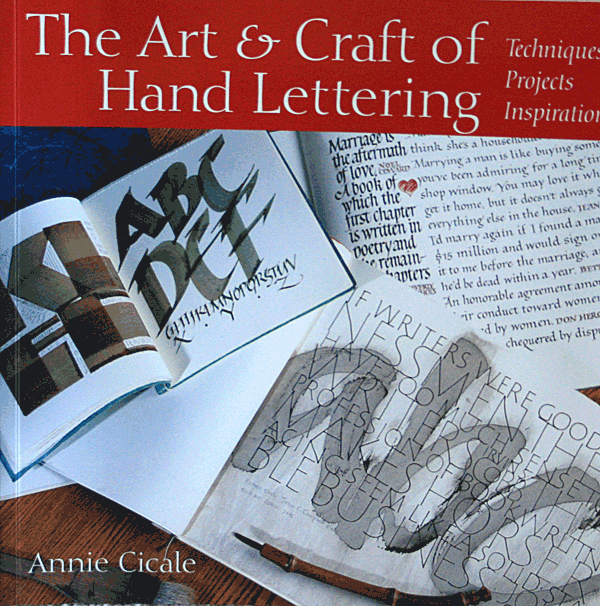
(See "Library" link for more about this book.)
There are many ways you can put your calligraphy to good use! Here are a few suggestions on what you can do:
announcements
business cards
certificates
Christmas and gift nametags
envelopes
greeting cards
handwriting improvement
invitations
journaling
maps
paintings
personalizing books, gifts, and collectibles
place cards
poetry
posters
presentations and displays
school projects
scrapbooking
tattoos
wedding vows
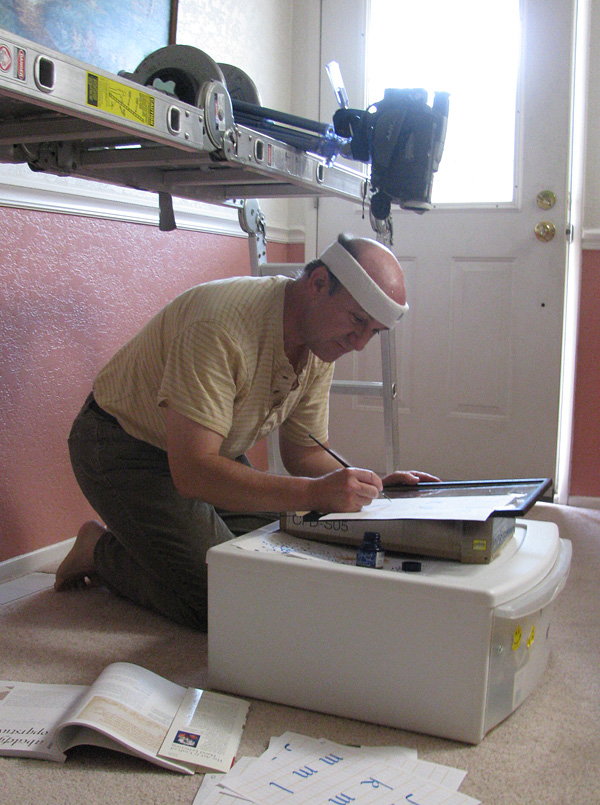
This is the setup the artist used in July 2011 to videotape the letters and digits of the earliest version of the app. The video camera was mounted on an adjustable ladder, which was folded as a scaffold to support the camera so it would aim downward from above. Natural light streamed in from the door for illumination. He now uses a different setup with professional lighting and portable, desktop easle.
Steve Husting lives in Orange County, California, with his wife and son.
This is probably the last version of this app.